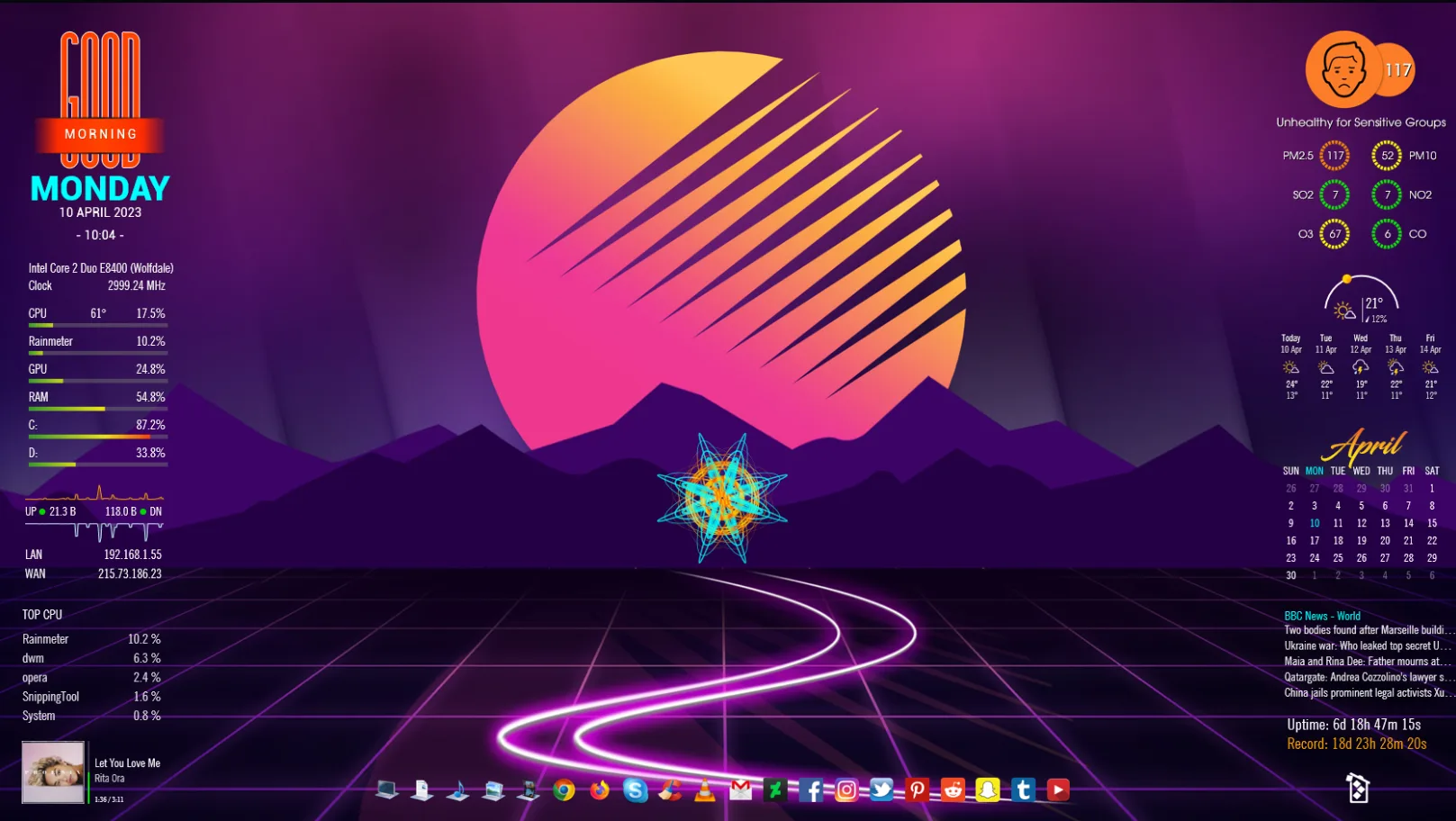
Advansity is a Rainmeter skin by xenium-ART with a futuristic desktop style. The release page shows it as an actively updated suite with a wide range of widget designs and layout variants.
It is useful for users who want a feature-rich desktop setup with many visual options. The update notes confirm time and date variants, weather, system tools, network elements, music player support, RSS, uptime, and other desktop information blocks.
What's Included
- Time and date – over 30 variants are mentioned in the update notes.
- Weather – includes Astro Weather features.
- System – includes CPU and related system widgets.
- Network – includes network widgets and a redesigned network section.
- Music player – includes a music player and Spotify Desktop Player support.
Who Is This Skin For?
This skin is a good fit for users who like a detailed and highly customized desktop. Gamers and power users may appreciate the system stats and visual style, while office users may like the organized layout. It also works well for people who want one skin to handle many desktop tasks at once.
Requirements
- Rainmeter: Not specified by the author.
- OS: Windows 10 / Windows 11
- Plugins: Not specified by the author.
How to Install
- Download the skin from DeviantArt
- Open the .rmskin file
- Click install
- Load the skin from Rainmeter
Tip: If a widget does not load correctly, refresh Rainmeter and check the skin’s plugin requirements from the author’s release notes.
About the Author
xenium-ART shares Rainmeter work on DeviantArt and appears to focus on detailed, modern desktop suites. Advansity reflects that style with many widget options and frequent updates.
View the original release and more work: Advansity by xenium-ART on DeviantArt