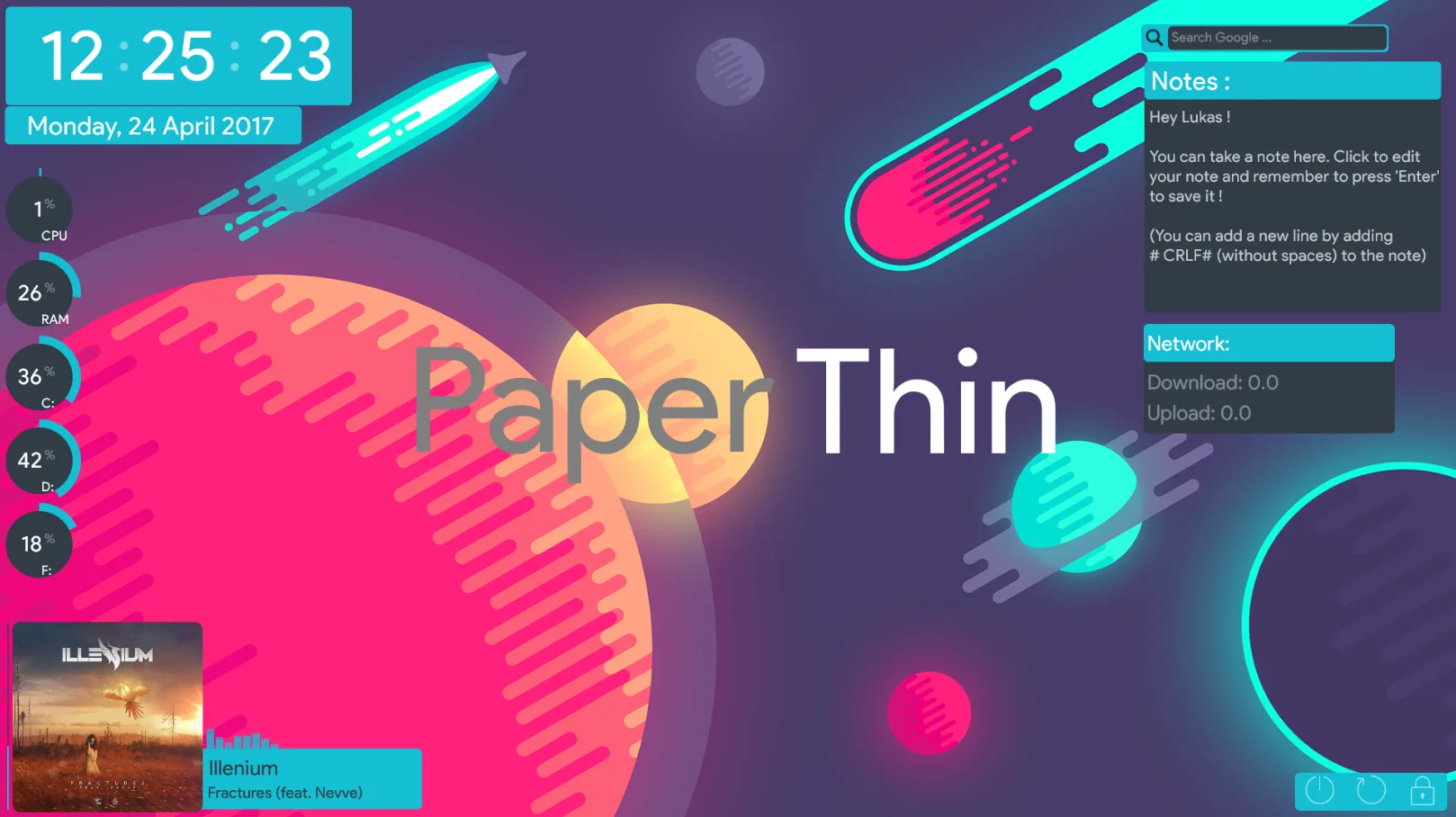
PaperThin is a flat, minimal Rainmeter suite created by craftAA. It uses simple shapes, thin lines, and a light style to keep the desktop clean and easy to read.
This suite is useful for everyday users who want core system info in one place without heavy visuals. You can resize and recolor each part to match your wallpaper or theme.
What's Included
- Clock and Date – shows time (12h/24h) and the current date
- CPU Monitor – basic CPU usage display
- RAM Monitor – shows current RAM usage
- Drive Monitor – supports up to three drives (C: to Z: range implied)
- Network Activity – displays download and upload speeds
- Google Search Bar – quick web search from the desktop
- Music Player – supports Spotify, Google Play Music, and NowPlaying-compatible players
- Notes – a small text area for quick notes
- System Buttons – lock, restart, and shutdown controls
Who Is This Skin For?
PaperThin suits students and office users in the USA who want a tidy desktop with time, system stats, and quick tools. It also works well for light gamers or streamers who prefer a simple, low‑distraction overlay. The flat style fits many modern wallpapers and themes.
Requirements
- Rainmeter: Version not specified
- OS: Windows 10 / Windows 11
- Plugins: Not specified by the author.
How to Install
- Download the skin from DeviantArt
- Open the .rmskin file
- Click install
- Load the skin from Rainmeter
Tip: If any meters show blank values, right‑click the skin, open Variables, set your drive letters or player if needed, then refresh the skin in Rainmeter.
About the Author
craftAA is a DeviantArt creator focused on clean, minimal Rainmeter designs and music player skins. Their work often emphasizes simple layouts and easy color customization.
View the original release and more work: PaperThin – A flat Rainmeter suite by craftAA on DeviantArt