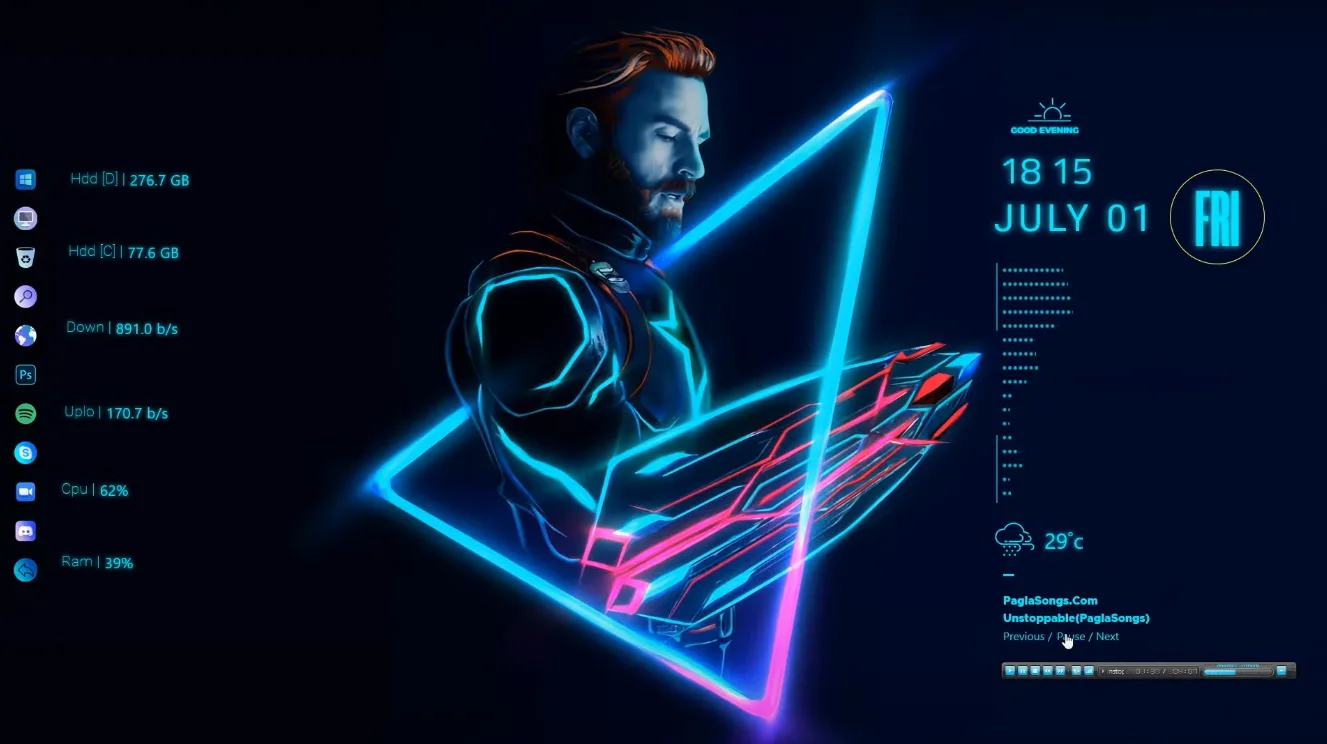
Captain 1.01 is a Rainmeter skin suite created by linkvegas12 that brings a neon Captain America theme to your Windows desktop. It uses bright glowing accents for a superhero vibe.
The design focuses on simple, bold visuals inspired by Marvel icons, with neon outlines that stand out on dark backgrounds without overwhelming the screen.
What's Included
- System Monitor: Tracks CPU, RAM, and disk usage with neon bars.
- Clock: Large glowing time display in Captain America style.
- Launcher Icons: Quick-access app buttons with shield motifs.
Who Is This Skin For?
Fans of Marvel and Captain America who want a fun, themed desktop. It's good for gamers or anyone liking neon aesthetics on Windows. Beginners can use it easily after install.
Requirements
- Rainmeter 4.5 or higher
- Windows 10/11
- No extra plugins needed
How to Install
- Download the skin from the link below.
- Double-click the .rms or .rmskin file.
- Select "Install" in the Rainmeter window.
- Right-click Rainmeter tray icon and refresh all skins.
- Load the Captain suite from Manage Rainmeter.
If neon glow looks dim, check your wallpaper contrast or adjust Rainmeter's blur settings in the skin options.
About the Author
linkvegas12 is a DeviantArt creator known for Rainmeter skins with minimalistic and OS-inspired designs, often featuring glowing effects and themed setups like macOS or Windows styles. They share setups for desktop customization enthusiasts.
View the original release and all of linkvegas12's work on DeviantArt: Captain 1.01 by linkvegas12 on DeviantArt